Every channel, every episode
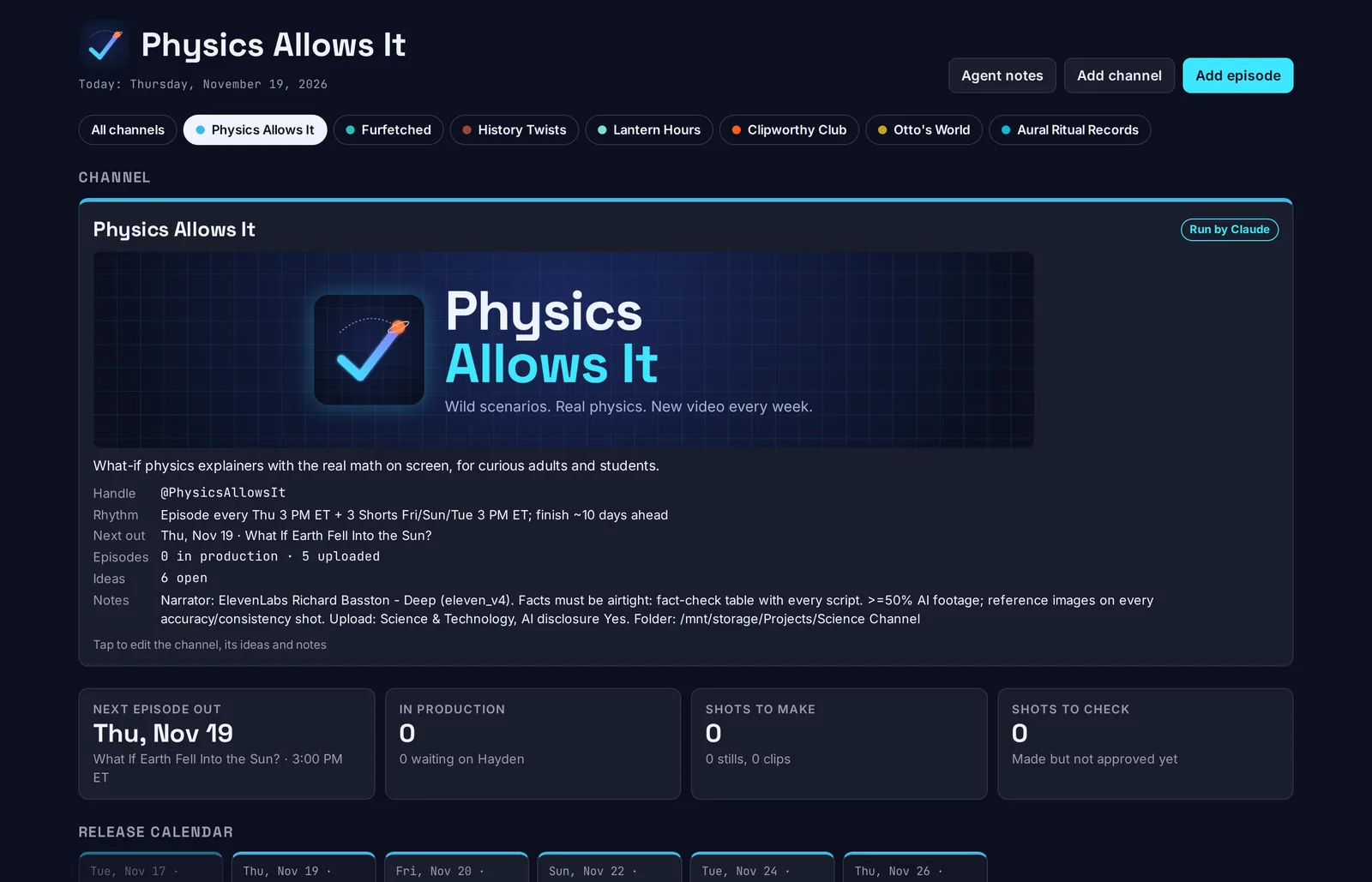
One page with a chip per channel. Each episode is a card with its release date, a step track, and a line saying who does what next.
A personal tool, shown here
Production Desk tracks each episode from topic to upload, reads progress straight from the project folders, and gives every channel's AI agent one place to report. I built it for my own workflow, and it runs on my machine.
Features
Everything below exists in the app today.
One page with a chip per channel. Each episode is a card with its release date, a step track, and a line saying who does what next.
The default is ten steps from Topic to Uploaded. A music channel or a short-form channel can rename, add or drop steps to match how it is actually made.
A script.txt ticks Script. Audio in vo/ ticks Voice. Files named S05.png or V05.mp4 appear on the matching shot within about 10 seconds.
Episodes that need my action collect in a red list with a due or overdue tag. Stale notes get a "stale?" tag after three days.
Agents ask 2 to 4 option questions with a recommendation and a reason. I answer with a click and an optional note. The record stays on the episode.
Each part of a shot carries a review flag: re-run, your call, free fix or checked. A part with a file and no review shows "Not reviewed", so unchecked never looks like passed.
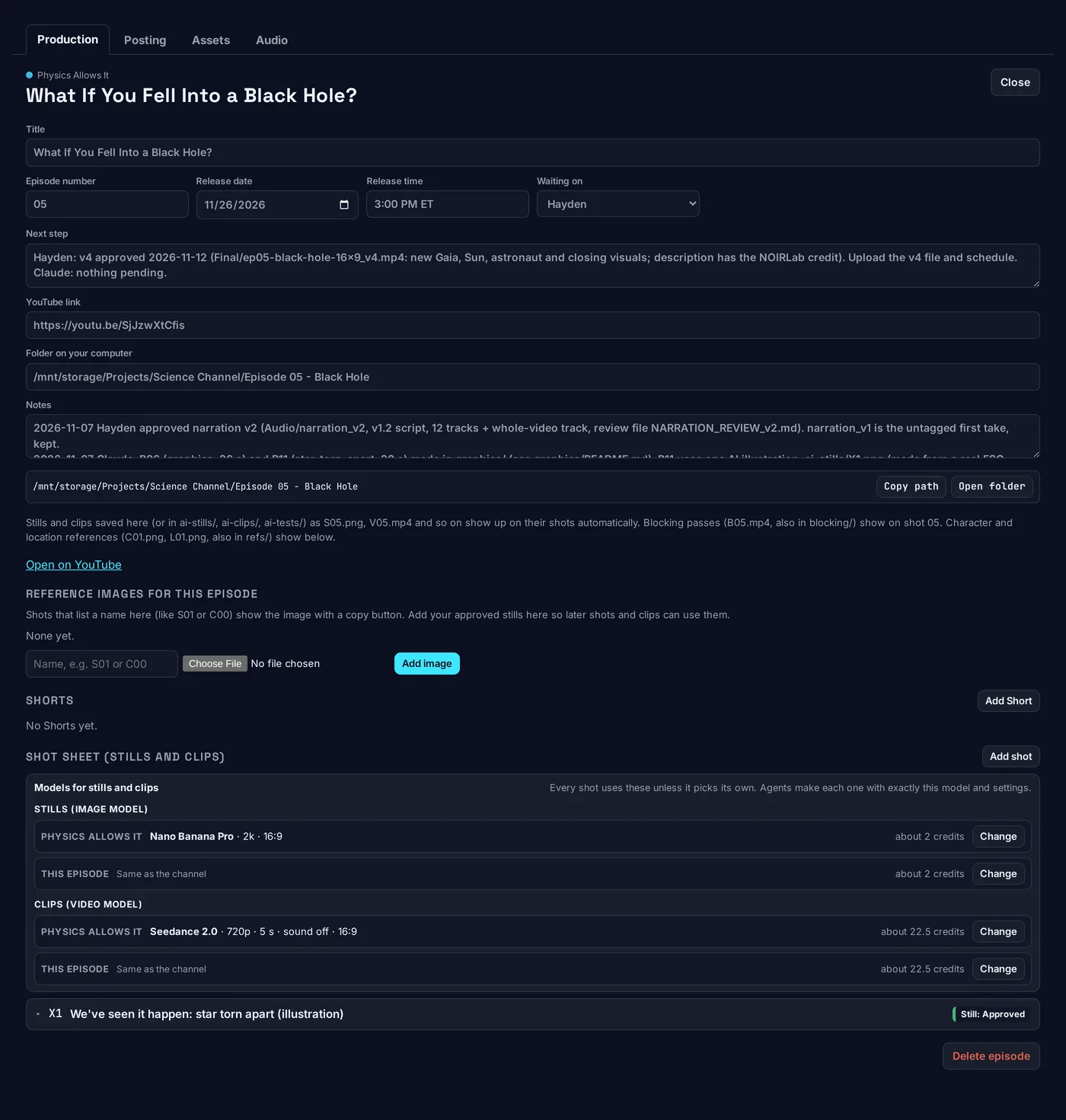
Image and video models with their settings, set per shot, per episode or per channel. The shot's pick wins. Credit estimates come from the last charge seen in the credit history.
Every still lists the images attached to make it, in order, with copy buttons. Lists nobody has checked against the generation job show "Refs not verified".
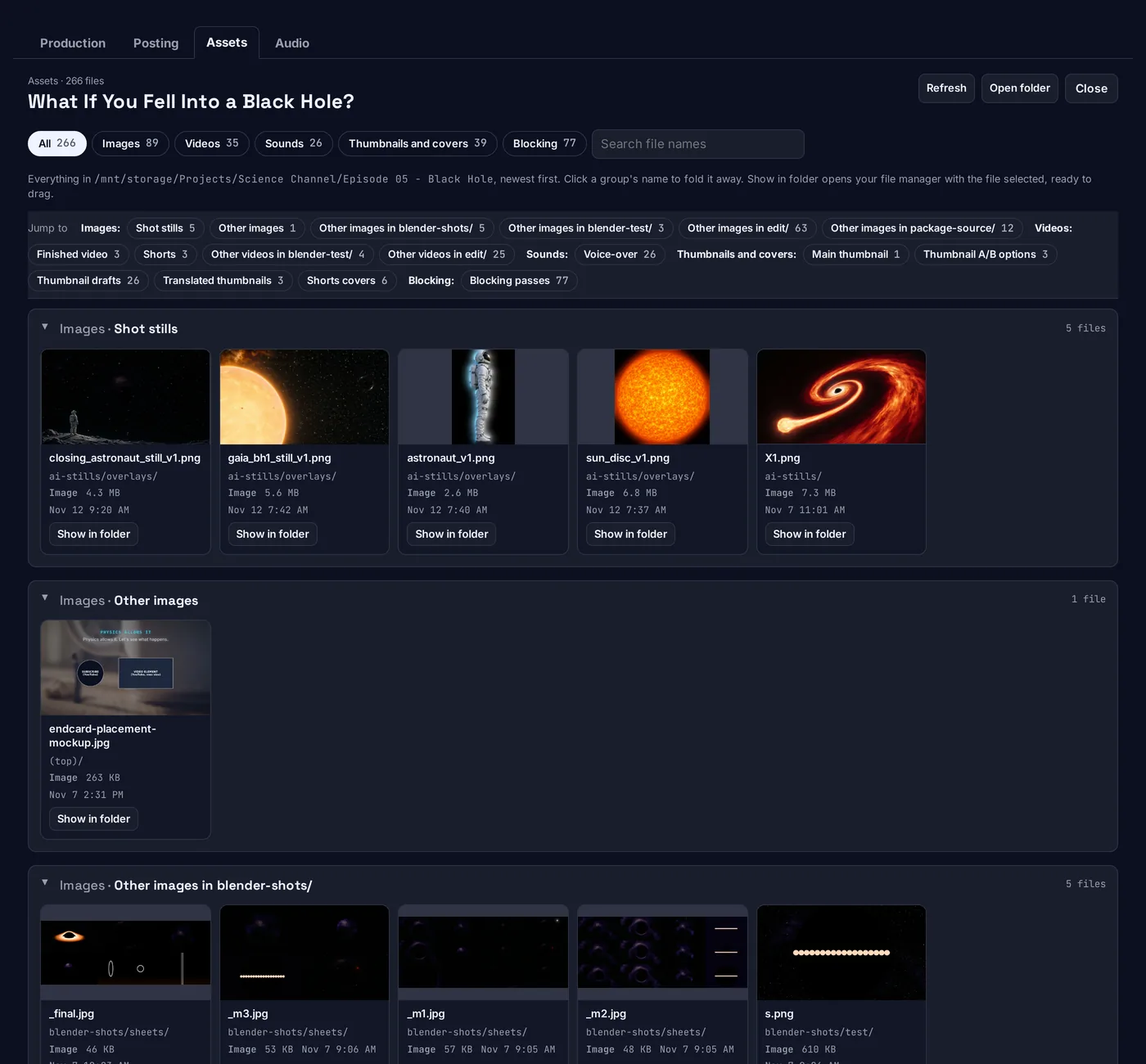
Per-channel and per-episode views of images, clips, audio, references and thumbnails, with previews and a Show in folder button. It reads files and never moves them.
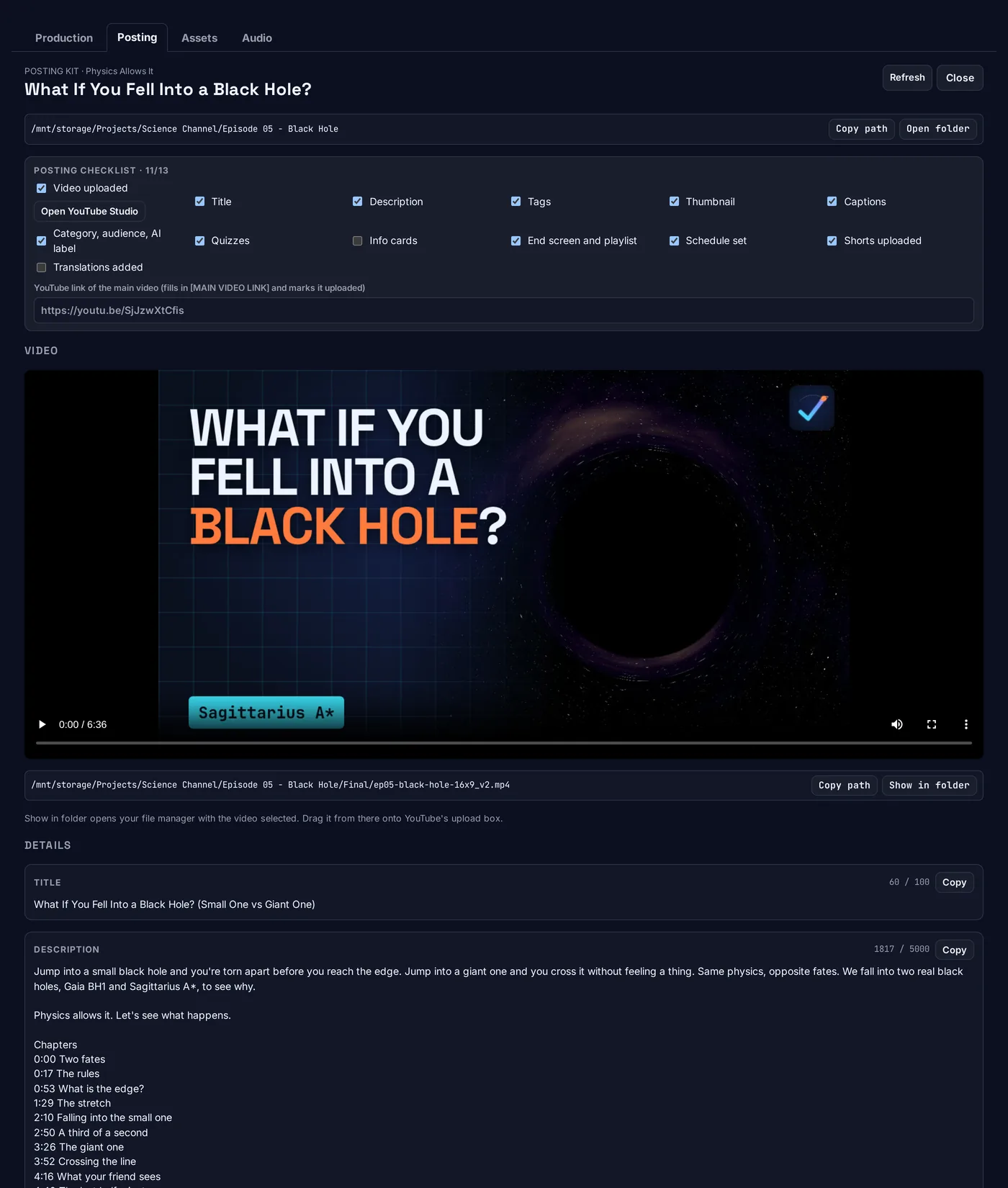
Reads upload-info.txt into title, description, tags and quizzes with copy buttons, plays the finished video, and saves my main-thumbnail pick.
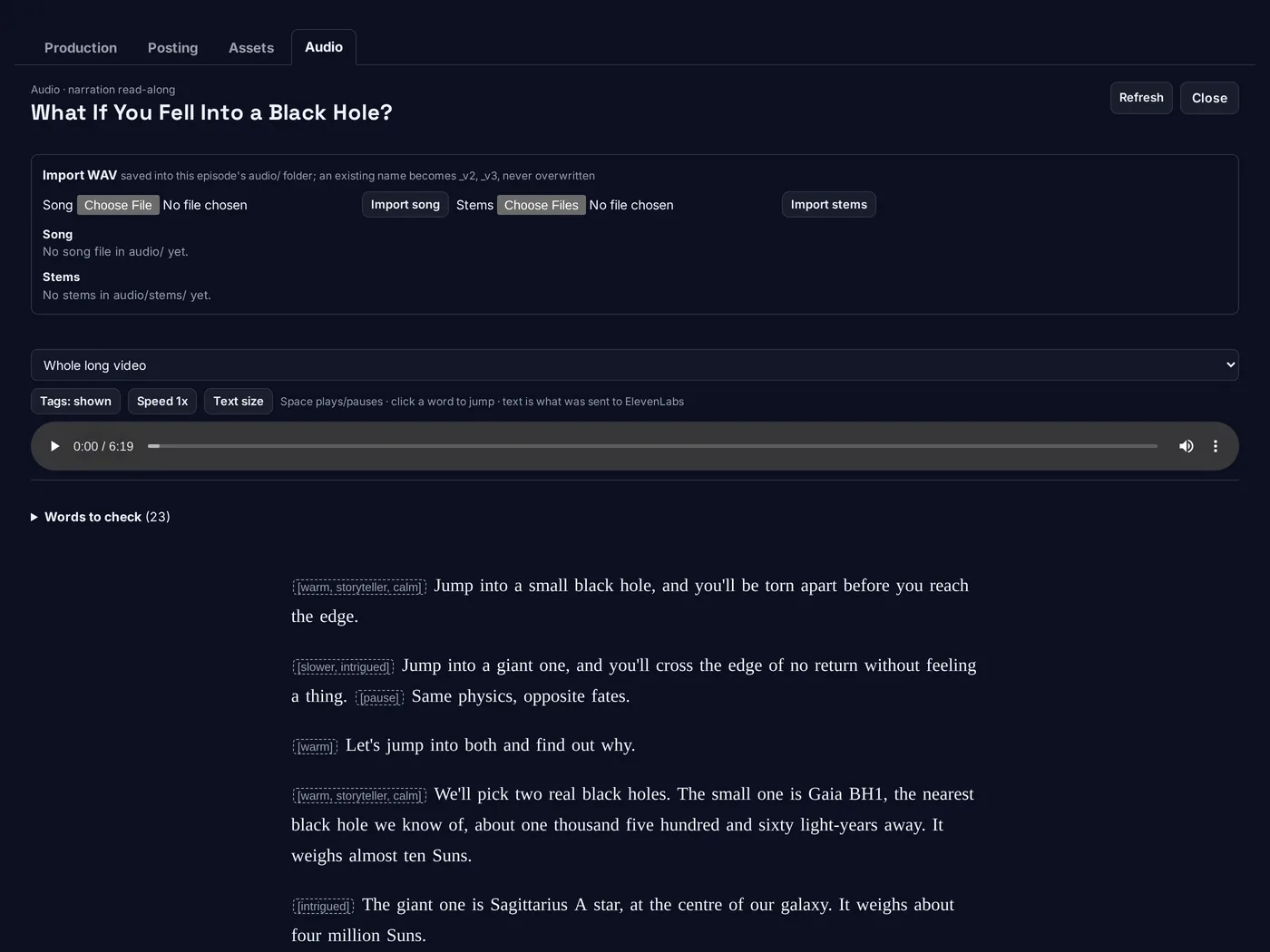
For long-form channels, a tab that follows the narration by word timing and jumps to the words flagged for a re-check. It is read-only.
A "Check this card" box appears when a step is ticked done while shots are still to do, or when the next step names a shot that is already approved.
Inside an episode
Click an episode card and its window opens. These screens are all one episode: Physics Allows It, "What If You Fell Into a Black Hole?".
Everything about the episode in one place, from title to shot sheet.
Built from the files the agent saves in the episode folder, so nothing is retyped for YouTube Studio.
Read-only: it lists files and never moves, uploads or generates anything.
For long-form channels. It plays the narration and follows it word by word.
Workflows
Each one is how it works today.
Add an episode with a release date and a folder. Files landing in that folder tick the steps. The card always shows the next action and who owns it. Pasting the YouTube link marks the upload step done.
The agent reviews a still or clip and flags it. I approve a re-run in a box that shows the credit limit. The agent remakes it under that cap, and the new file starts as "Not reviewed".
An agent posts a decision with options. I click one and add a note. The agent reads the answer at the start of its next session, and the record stays on the episode.
When an episode is my turn, a banner shows only my part. "Done, hand back" with a note puts it back on the agent with the date and my words in the log.
A finished short from the motion tool arrives as a card with its video, creator credit, and the caption and cover the Posting tab needs. The video is kept by path, never copied.
The agent writes upload-info.txt. The Posting tab splits it into copy buttons for Studio. I upload myself and drag files from Show in folder.
Use cases
What it is used for.
Long-form explainers, short-form clips and a music-video channel sit on one board, each with its own steps and theme.
Each channel has an agent. The board is where they report, ask and get checked, so I read one page instead of many chats.
Model, settings, estimate and cap are visible per shot. Nothing is generated without a click or a listed credit limit.
Review flags and the reference-image record make a stray attachment or a six-fingered hand easy to spot before a clip is made from it.
Your turn, overdue tags, stale notes and mismatched cards show where an episode stopped.
Title, description, tags, quizzes, thumbnail pick and the finished video are all on one tab.
For agents
Every channel has an agent that keeps its cards current. They all use the same command line tool and read the same notes file, so the board stays accurate without me retyping anything.
# a few of the real commands
desk list history-twists
desk stage ep-04 script done
desk set ep-04 next "Reason: pick a title. Agent: cut the preview"
desk shot ep-04 S05 still approved
desk review ep-04 S05 clip rerun "Subject changes mid-clip"
desk ask ep-04 "Which title?" --option "A" --option "B"
desk decisionsWhich title for the upload?
1. Option A (recommended) 2. Option B Decide by a set date, then it goes with option 1. Never used for spending.Changes show on the page within a few seconds. An AGENTS.md file in the project holds the rules and is kept current, so a new agent session starts from the same page as the last one.
Spend rules
The desk can send a shot to an image or video service, but only with my click.
Under the hood
The server is Python's standard library and listens on 127.0.0.1 only. The whole board is one JSON file, so a backup is a copy.
A user service on port 4777 that starts with the desktop. Nothing is hosted and nothing is public.
data/desk.json holds channels, episodes and shots. Uploaded art sits in data/assets/.
It links shots to my image library by ID, receives short-form exports from a motion tool, and exposes cards that a desktop buddy app reads.
Production Desk is one of the tools I build for my own channels. The rest of the work is on the studio site.